> ## Documentation Index
> Fetch the complete documentation index at: https://wb-21fd5541-docs-1778-mysql-updates.mintlify.site/llms.txt
> Use this file to discover all available pages before exploring further.
# 例のレポート
> レポートギャラリー
## ノート: 簡単なサマリーで可視化を追加
重要な観察結果や将来の作業に関するアイデア、プロジェクトの開発におけるマイルストーンを捉えましょう。レポート内のすべての実験の run は、そのパラメータ、メトリクス、ログ、コードにリンクされるため、作業の全体的な文脈を保存できます。
テキストを書き留め、関連するチャートを引き入れてインサイトを示しましょう。
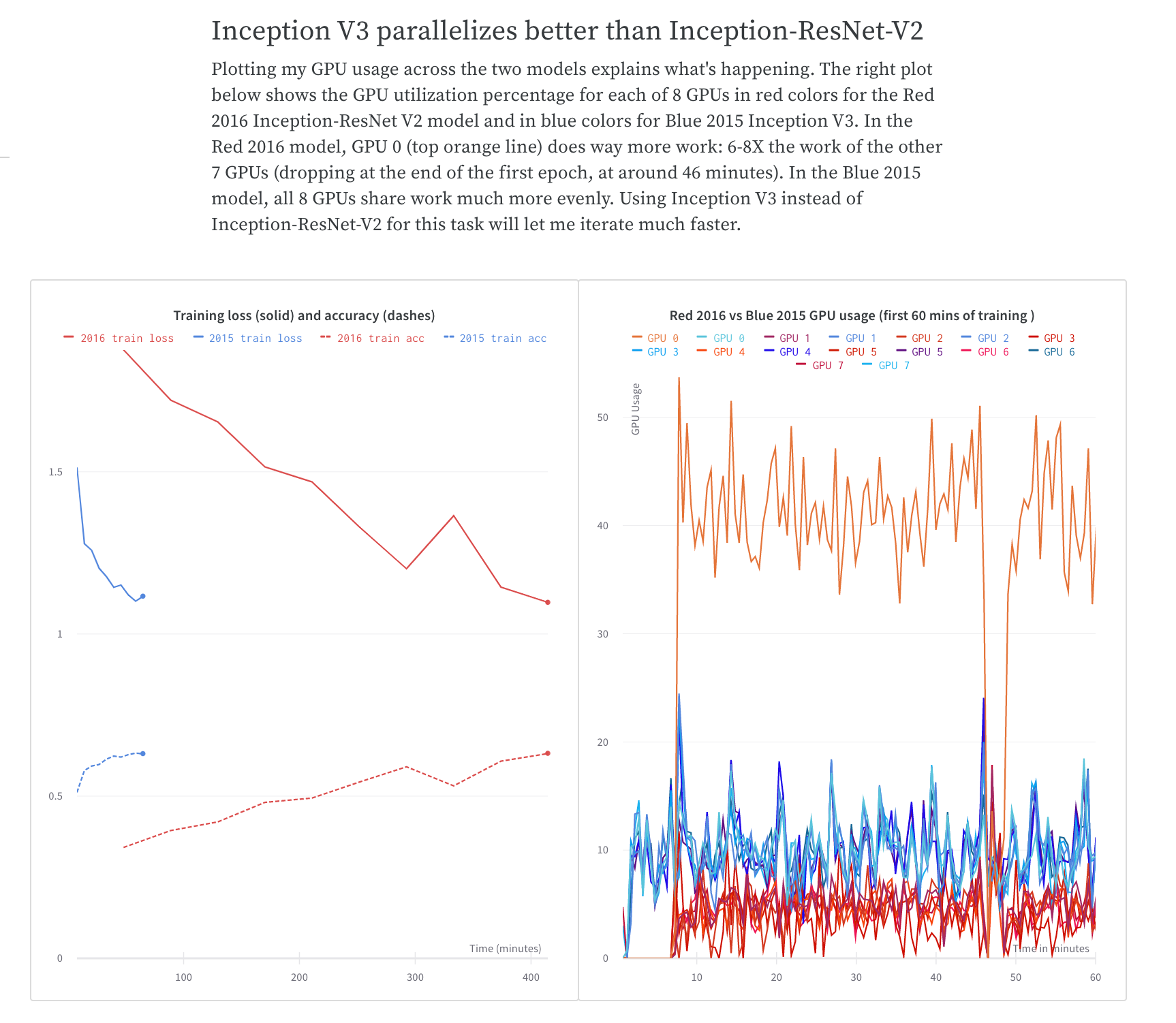
トレーニング時間の比較を共有する方法については、[What To Do When Inception-ResNet-V2 Is Too Slow](https://wandb.ai/stacey/estuary/reports/When-Inception-ResNet-V2-is-too-slow--Vmlldzo3MDcxMA) W\&B Report をご覧ください。
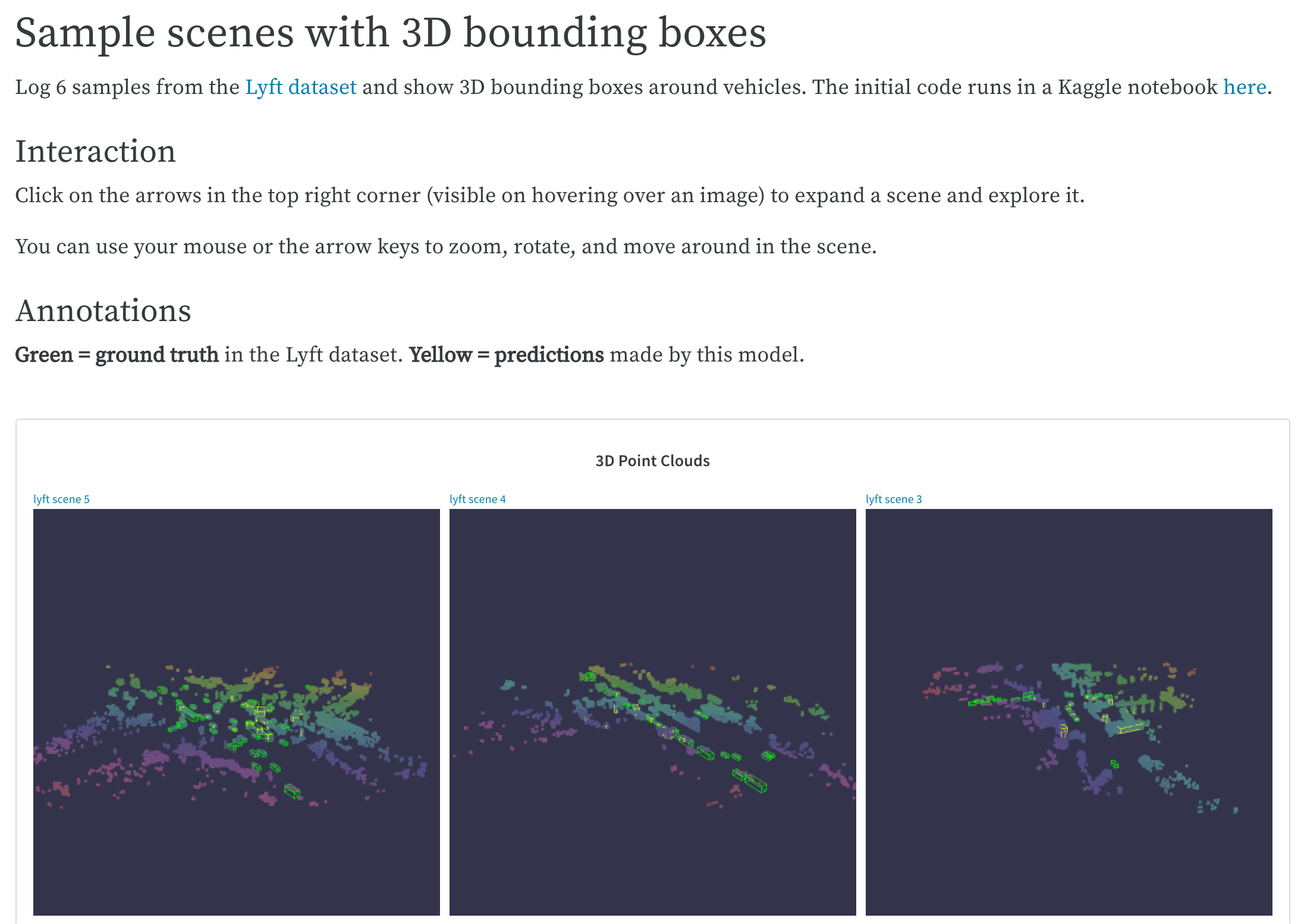
 複雑なコードベースからの最高の例を保存し、簡単に参照したり、将来の対話のために保存します。Lyft のデータセットから LIDAR ポイントクラウドを可視化し、3D バウンディングボックスで注釈を付ける方法については、[LIDAR point clouds](https://wandb.ai/stacey/lyft/reports/LIDAR-Point-Clouds-of-Driving-Scenes--Vmlldzo2MzA5Mg) W\&B Report をご覧ください。
 ## コラボレーション: 同僚と学びを共有する
プロジェクトの開始方法を説明し、これまでに観察したことを共有し、最新の学びを統合します。同僚は、任意のパネルやレポートの最後にコメントを記入して、詳細を提案したり議論したりすることができます。
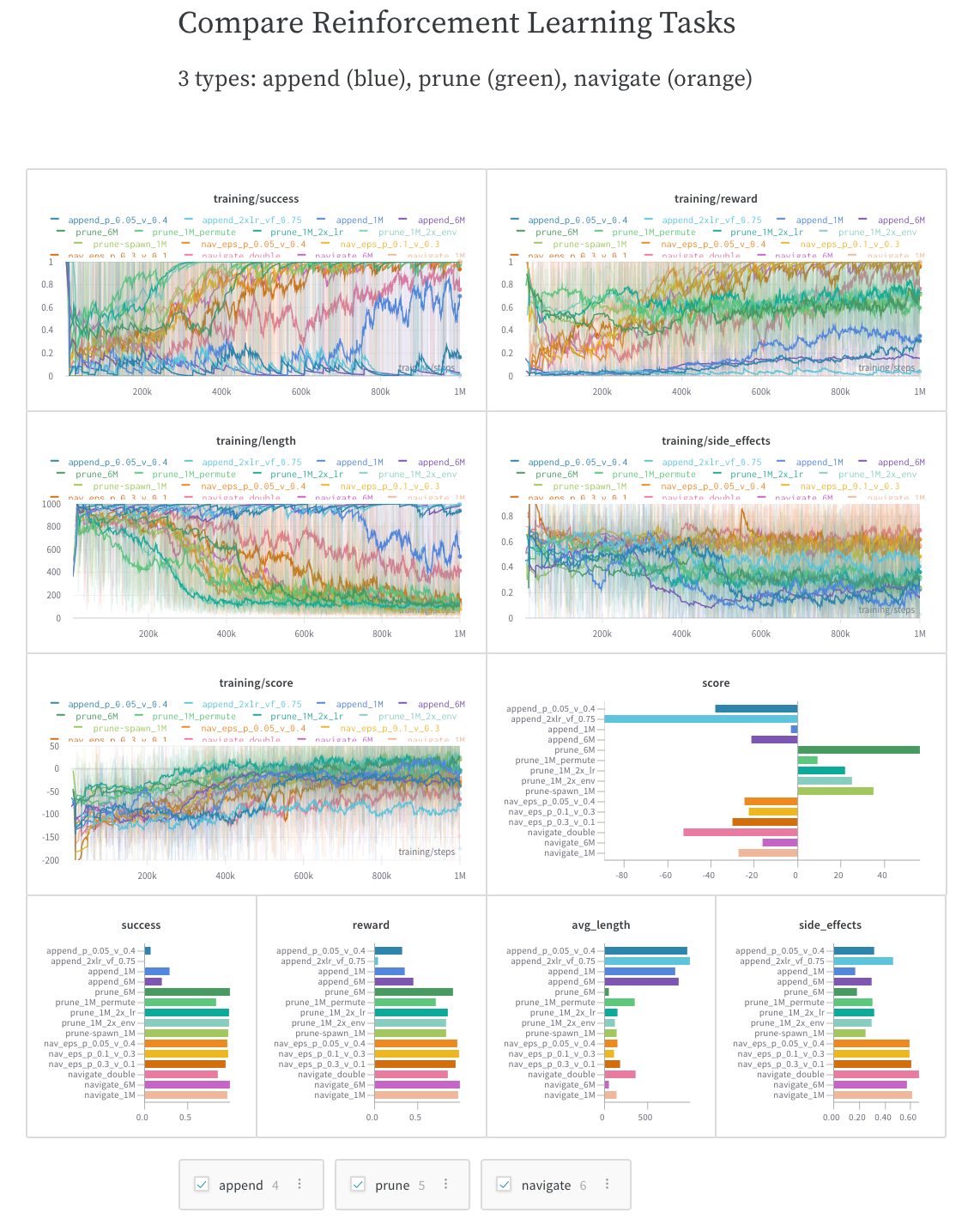
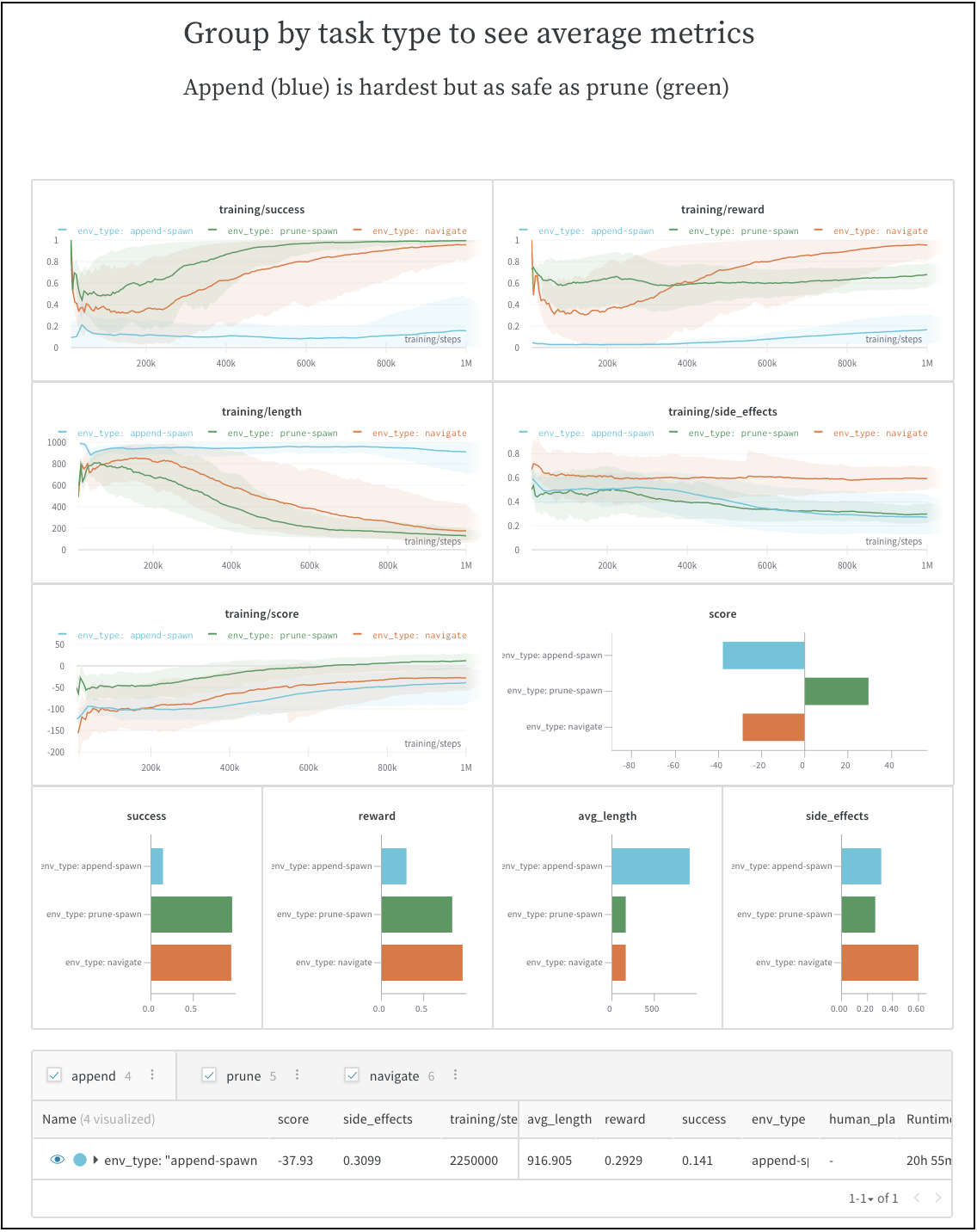
同僚が自分で探索し、追加のインサイトを得て、次のステップをよりよく計画できるように、動的な設定を含めます。この例では、3 種類の実験を独立して可視化したり、比較したり、平均化したりできます。
初めての run とベンチマークの観察を共有する方法については、[SafeLife benchmark experiments](https://wandb.ai/stacey/saferlife/reports/SafeLife-Benchmark-Experiments--Vmlldzo0NjE4MzM) W\&B Report をご覧ください。
## コラボレーション: 同僚と学びを共有する
プロジェクトの開始方法を説明し、これまでに観察したことを共有し、最新の学びを統合します。同僚は、任意のパネルやレポートの最後にコメントを記入して、詳細を提案したり議論したりすることができます。
同僚が自分で探索し、追加のインサイトを得て、次のステップをよりよく計画できるように、動的な設定を含めます。この例では、3 種類の実験を独立して可視化したり、比較したり、平均化したりできます。
初めての run とベンチマークの観察を共有する方法については、[SafeLife benchmark experiments](https://wandb.ai/stacey/saferlife/reports/SafeLife-Benchmark-Experiments--Vmlldzo0NjE4MzM) W\&B Report をご覧ください。
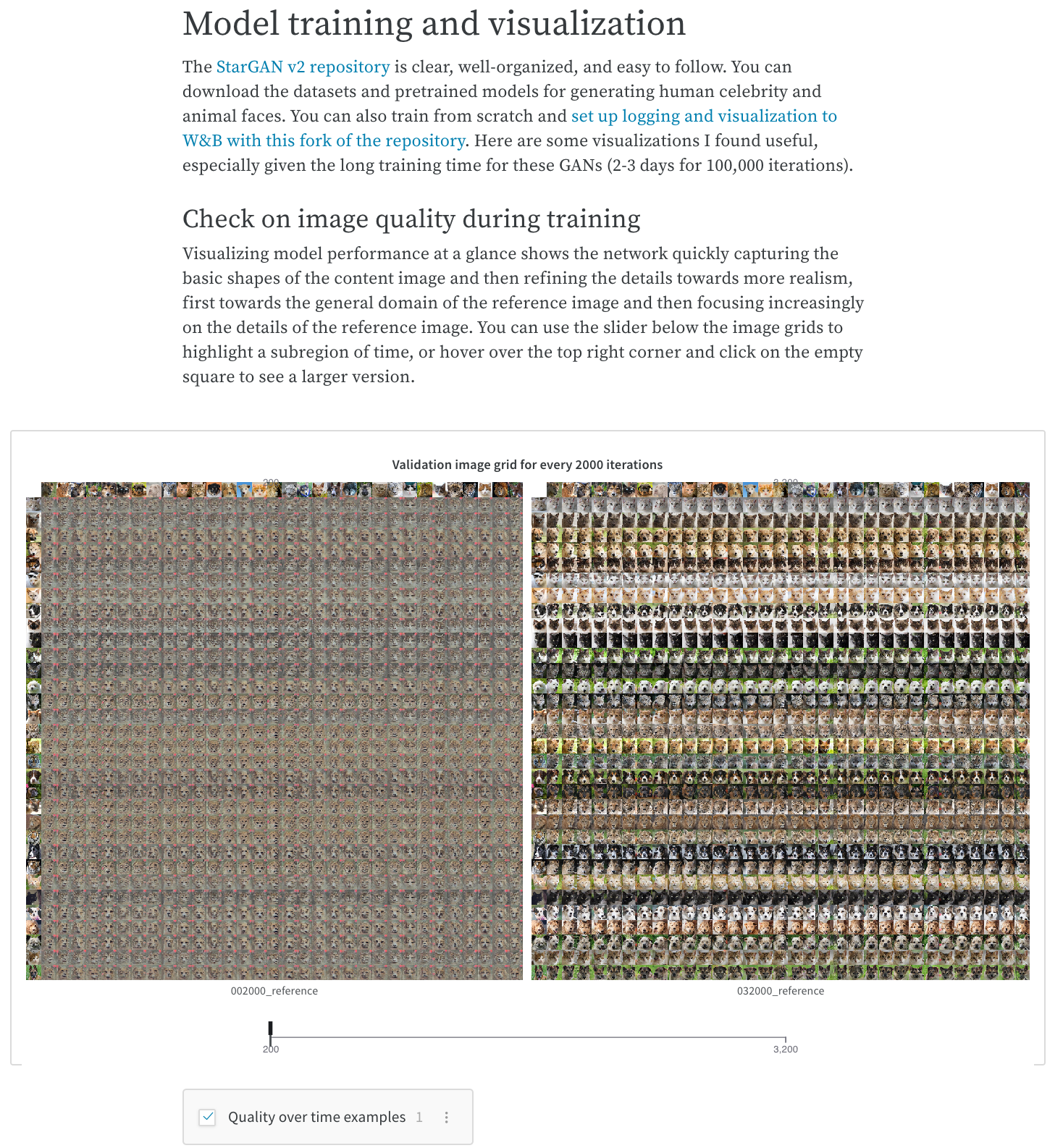
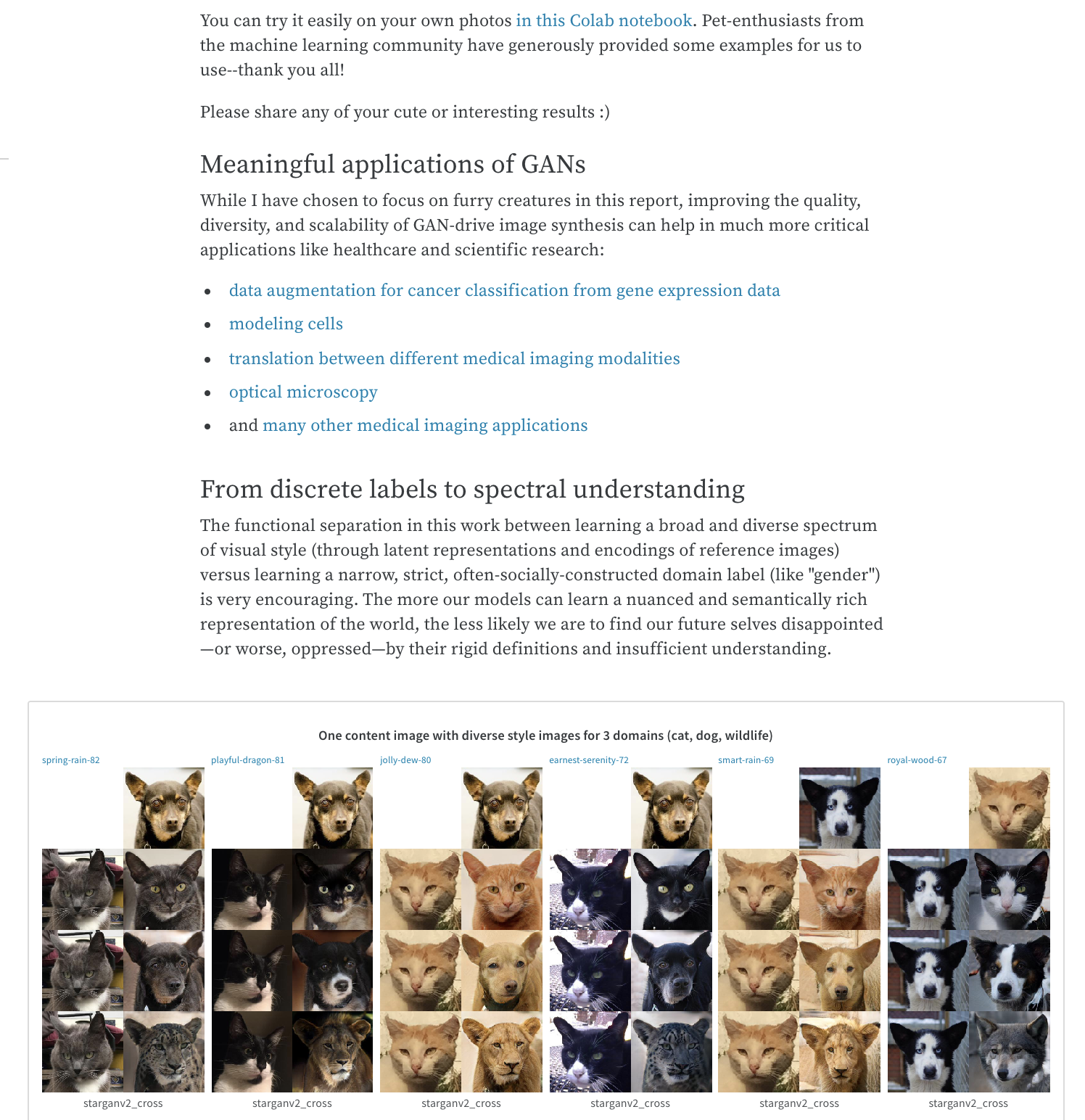
 スライダーや設定可能なメディアパネルを使用して、モデルの結果やトレーニングの進捗を示します。スライダーを使用した W\&B Report の例については、[Cute Animals and Post-Modern Style Transfer: StarGAN v2 for Multi-Domain Image Synthesis](https://wandb.ai/stacey/stargan/reports/Cute-Animals-and-Post-Modern-Style-Transfer-StarGAN-v2-for-Multi-Domain-Image-Synthesis---VmlldzoxNzcwODQ) レポートをご覧ください。
 ## 作業ログ: 試したことを記録し、次のステップを計画する
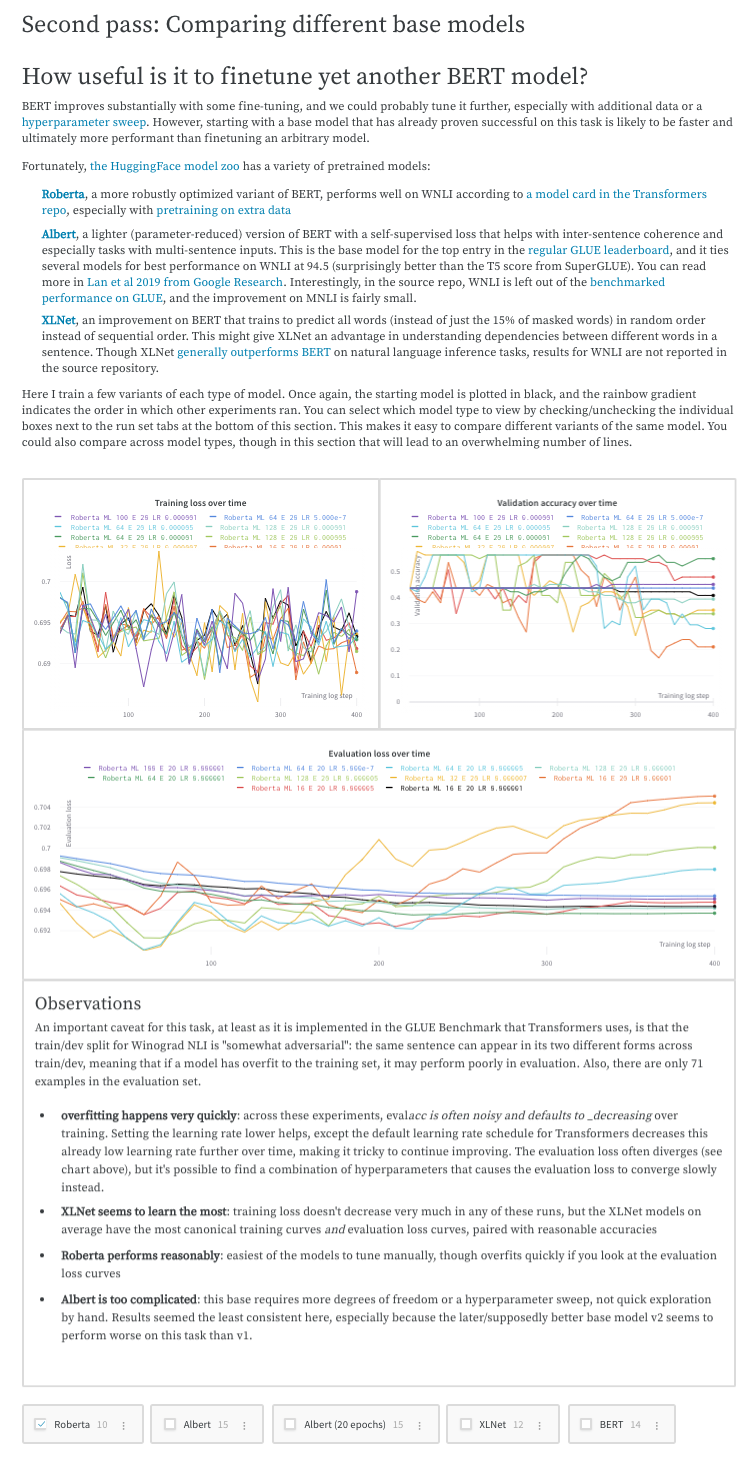
実験に関する考えや学び、注意点、次のステップをプロジェクトを進めながら書き留め、一箇所に整理しておきましょう。これにより、スクリプトを超えた重要な部分をすべて"文書化"することができます。学びをレポートする方法についての例としては、[Who Is Them? Text Disambiguation With Transformers](https://wandb.ai/stacey/winograd/reports/Who-is-Them-Text-Disambiguation-with-Transformers--VmlldzoxMDU1NTc) W\&B Report をご覧ください。
## 作業ログ: 試したことを記録し、次のステップを計画する
実験に関する考えや学び、注意点、次のステップをプロジェクトを進めながら書き留め、一箇所に整理しておきましょう。これにより、スクリプトを超えた重要な部分をすべて"文書化"することができます。学びをレポートする方法についての例としては、[Who Is Them? Text Disambiguation With Transformers](https://wandb.ai/stacey/winograd/reports/Who-is-Them-Text-Disambiguation-with-Transformers--VmlldzoxMDU1NTc) W\&B Report をご覧ください。
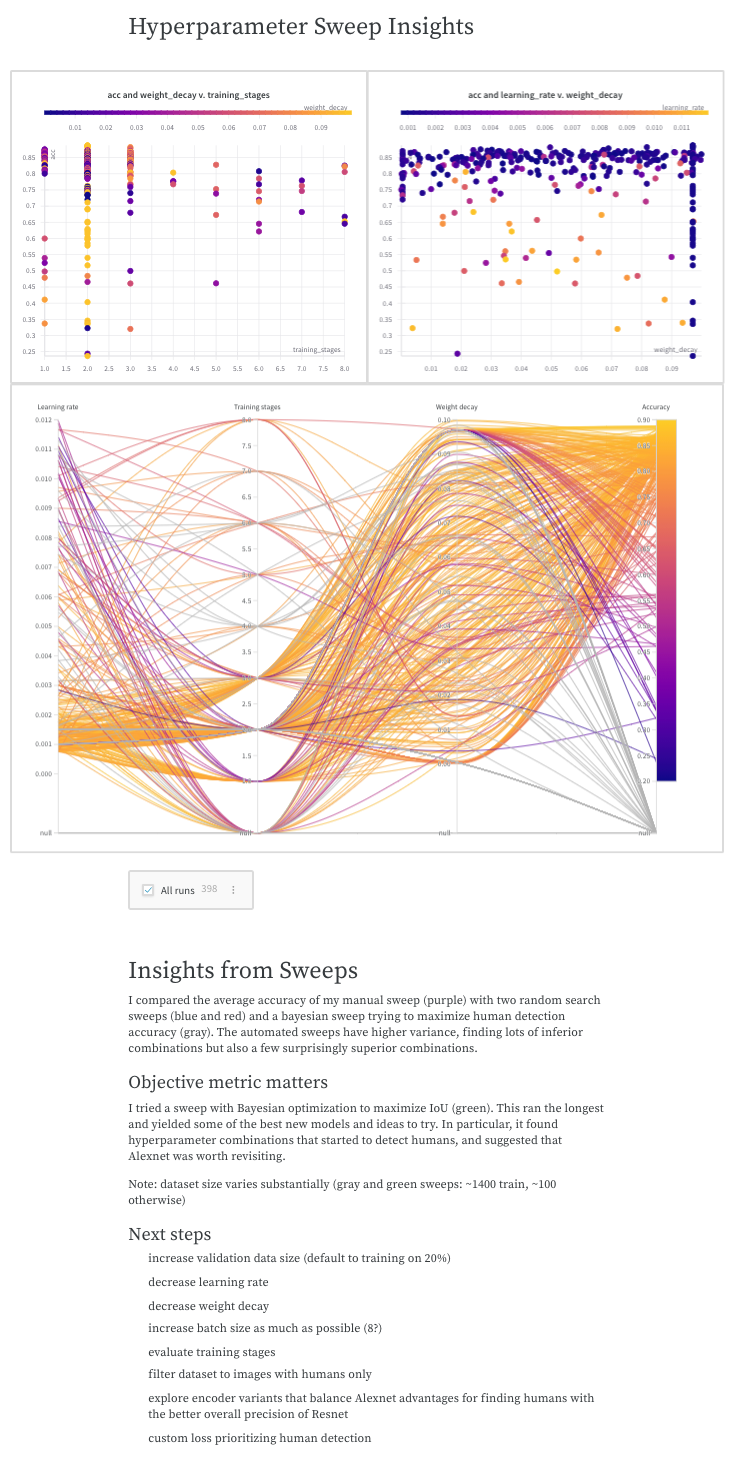
 プロジェクトのストーリーを語り、後からモデルがどのように、そしてなぜ開発されたのかを理解するために参照することができます。[The View from the Driver's Seat](https://wandb.ai/stacey/deep-drive/reports/The-View-from-the-Driver-s-Seat--Vmlldzo1MTg5NQ) W\&B Report では、学びをレポートする方法をご覧いただけます。
 OpenAI Robotics チームが W\&B Reports を使用して大規模な機械学習プロジェクトを実行した方法を探るために、W\&B Reports がどのように使用されたかの例については、[Learning Dexterity End-to-End Using W\&B Reports](https://bit.ly/wandb-learning-dexterity) をご覧ください。